Main

Ordering Info

Email

*******************

** Fully Compatible with Logic 8 **

*********************

******************************

New!! Over 30 Screenshots of the Karma v2.0 Environment!!!

Download the Manual:

Karma V2.0 Env manual (Mac.rtf)/ KarmaV2.doc (PC)

& Triton V2.2 Manual (Mac.rtf) / TritonV2PC.doc (PC)

***********************************************

UPDATE: Triton Editor/Environment V2.2 updated to 3-Pages + redesigned Filter Section!!

**************************

New Environments Available: JD990 & Korg TR-Rack. More Coming Soon!!

Mac PC

(Click controls for description) New features ... ***Triton Environment ***

NightWing Pro Editor/Environments compatible with ALL versions of Mac OS X & Logic (Windows PC compatible too)

\\****// New!! V2.0 NavigatorBar \\****//

Karma V1.1 Main Editor Page (Clickable MAP)


Feature Descriptions (Original Karma V1.1 Editor):


**************************************

Feature Descriptions:
Karma V1.1 Environment/Editor Features
(Thumbnails)
 Karma Real-Time Controls, Switches and Tempo Change
(Karma Controls)
Chord Triggers 1-4...work just like the Synth...

Turns the Karma function On/Off & controls the Latch function

Automate Joystick, Ribbon, Portamento & Assign Expression...Volume & Panning of IFX & MFX.
(FX Edit & Midi Control)
Select any Karma Bank. Preset names included with Multi-Instrument.
(Karma Utility Controls & MIDI Histogram)
PANIC!-Sends ALL Notes Off, a Reset Controllers button and a Histogram of all MIDI/Sysex data that passes through the Karma/Logic Environment.
(Standard Korg Controllers: Knobs A/B, SW 1/2 & Filters)

PROMOTION: Get BOTH Karma Editor Environments (V1.1 & 2.0) for only $50US!!

Order Here

Karma V2.0, 34-Page Editor

Screenshots Here!!

Automate & Control other Internal parameters including Filters, LFOs, Knobs A&B, Switches 1&2, etc.

***********************************************************

Back to Overview

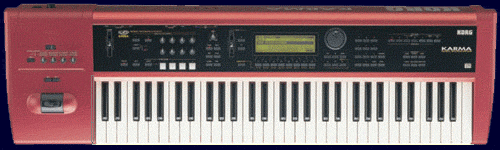
 The Karma Logic Environment allows full automation and two-way control of the Korg Karma™ from within Logic.


***********************

2008 Promotion: Order the $35 Karma V1.1 Edito for Logic and receive these Karma V2 Editor Pages FREE!!
Karma V1.1: Main Page
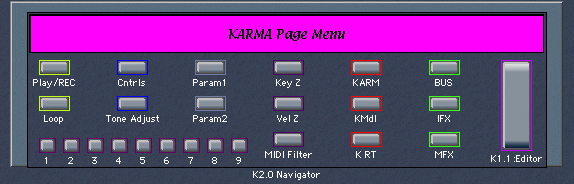
Karma V2: Navigator Bars
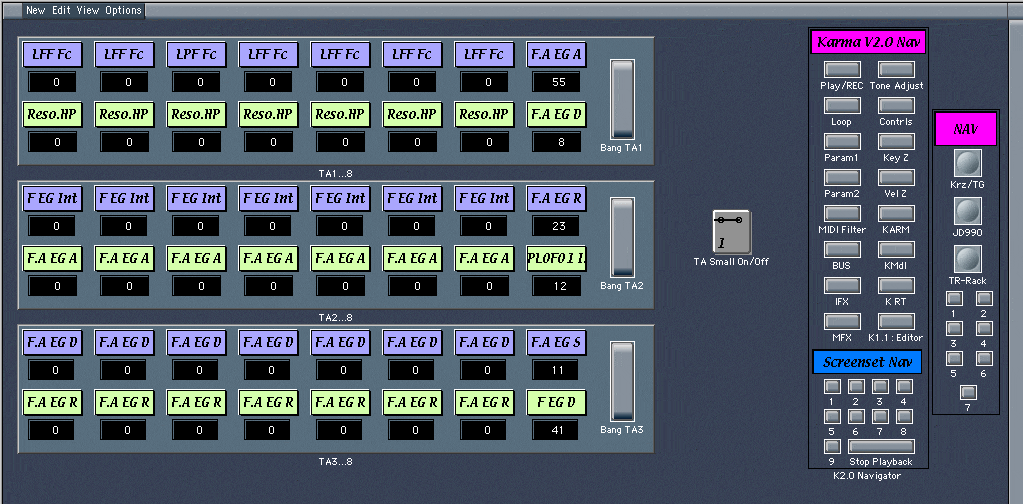
Karma V2: TA Page (Small)
Karma V2: Main (Play/REC)

(Order the Karma V2.0 Editor 30+Page Environment here)

**************************************


Software Description:

The Karma Environment for Logic allows full automation of your Korg Karma™ from within Logic. This allows you complete creative control when using your Karma as a Multi-Timbral workstation either alone or within a larger, multi-synthesizer MIDI rig. It's hands-off recording & editing control of your Karma.
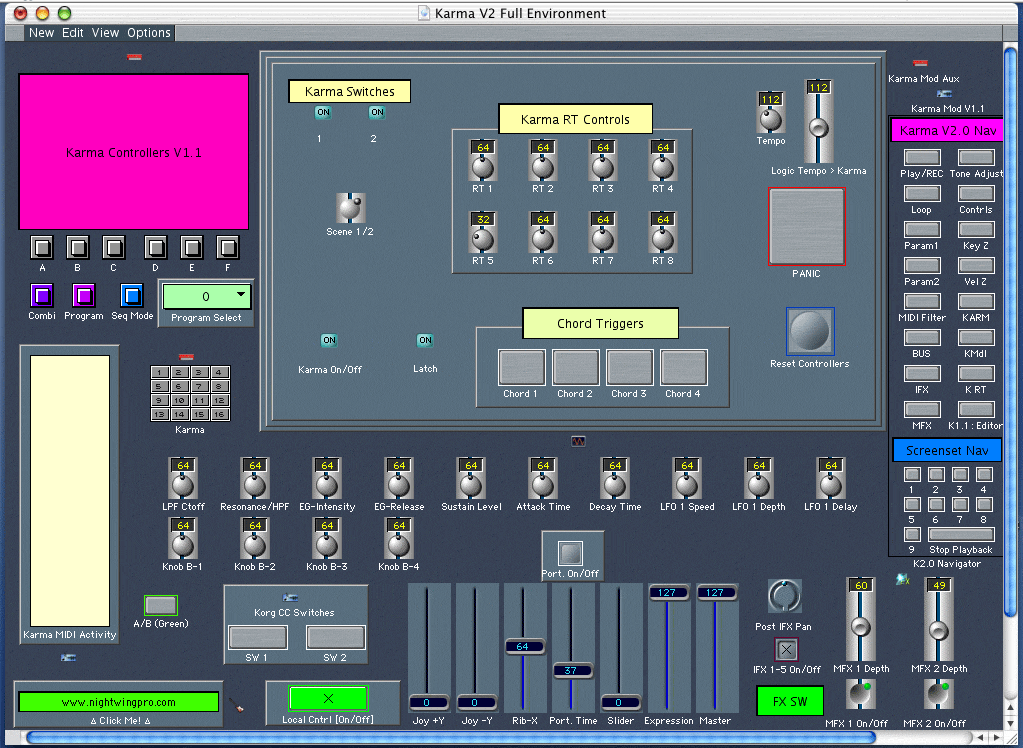
With the Karma Environment, you have complete two-way control:

Karma- Any button press, parameter change and Karma Control that outputs a MIDI CC message will be recorded as part of your sequence in Logic. Once in Logic, these parameters can be freely edited and adjusted in real-time using the Karma Environment GUI.

Logic- Operating the Karma Environment controls will cause the Karma to respond immediately, as if you had adjusted that control on the Karma itself. Because Logic is a powerful sequencer, any change you make to the Karma Environment can be recorded as part of your sequence while at the same time causing the Karma workstation to respond. You are therefore automating your Karma from within Logic...Use the controls to tweak it until its perfect without touching the Karma itself.

This automation control is acheived through the two-way communication between Logic and the Karma using MIDI CC#s & SysEx data.
User example:

  • Record a sequence using your favorite Combi
  • Either use multiple tracks (Midi channels) in Logic or extract the CC information post-recording
  • Assign the "Karma Mod Edit" object to the Karma CC sequence in Logic
  • Adjust the Karma Environment controls as your sequence plays to change your Midi controller performance
  • Add controller data that wasn't there during the performance e.g. Turn the Karma On or Off, adjust Karma RT Knob 3, Insert a Chord Trigger
  • All of these adjustments are added to your Logic sequence according to your Record & Automation settings in Logic.

ºººººººººººººººººººººººººººººººººººººººººººººººººººº

 The Karma Environment for Logic is not a replacement for Stephen Kay's MW Editor software. For Logic users, the Environent is an ergonomic interface, allowing a powerful degree of interaction with your Korg Karma™ for complete MIDI CC sequencing control.

ªªªªªªªªªªªªªªªªªªªªªªªª

For Logic & non-Logic users looking for deep-editing control of the Korg Karma™, check out Stephen Kay's Karma MW Editor Software®
ºººººººººººººººººººººººººººººººº

 Karma/Logic Environment Features UPDATE

Improvement- Movement of Karma Controls on the Karma Synthesizer will cause the Environment controls on-screen to be continuously updated. Extraneous CC & Sysex data has been filtered out of some controls for a leaner MIDI data stream. Improvements to GUI (see pics at Top of Page)

Added Features- MIDI Histogram Monitor added to show data passing through & received into Environment. Navigation Bar added to Environment for Navigation into Karma V2.0 Environment. Local Control On/Off button has been added to this and many Karma V2.0 ENV pages & are all inter-connected for synchronous operation.

Logic Tempo Fader added to match Logic Session Tempo with Tempo of Karma Function directly from the Karma Environment Screen.

Redundant Controls (e.g. MFX On/Off) are connected to controls of same-type within Karma V2.0 Environment so all duplicate controls remain in Sync.

BANG Fader added to Karma V1.1 Environment to instantly set relevant Karma Controls of the Karma Synth to reflect the status of the Environment Controls when they are changed offline or when Karma Synth is turned on in a default state. This convenient feature allows the Karma Synth & Environment to both share the same settings without having to physically turn each knob of the Environment.

**Free with Karma V2.0 Editor/Environment Purchase!!**

Karma/Logic Environment Features UPDATE


Improvement-
The Karma Multi-Instrument will automatically switch between Program and Combination modes. When selecting patches from the multi-instrument, Banks 0-4 select Combi banks A-E; banks 5-9 select Program banks A-E.


Added Features- Beneath the Bank Select Buttons A-F, you will notice 3 buttons labelled Combi, Program & Seq.Mode. These buttons will cause the Karma to enter the respective mode. Use these buttons in conjunction with the Bank Select buttons and the Program Selector window to remotely select patches when playing ideas. When sequencing, it's best to use the Patch Selector of the multi-instrument available through the Parameter Box in the Arrange window.

Note- the Seq.Mode button has been added in anticipation of the forthcoming Karma 2.0 Environemnt to access all Song Edit parameters from within Logic. This will be available soon, as an additional Environemnt, for complete remote-control of all Song-Mode edit pages and editable parameters.


Screensets- Be sure to view Screenset #2 for Arrange positioning ideas of various Karma Environment edit windows.

Back to Top

 **************************************************************************************************************************

Ordering Information: (New!! Screenshots of the Korg Triton Environment for Logic...Now Available)

****************************************

Order the Karma V2.0 Env + Bonus V1.1 Env FREE Here:

Karma V2.0 + V1.1 Bonus:

You get: Karma V2.0 Editor/Environment (30+pages) & the Original Karma V1.1 Karma RT Editor/Environment Free!!

***********Please review the Ordering Info & Terms before Confirming your Order****************************


Order the Triton V2.2 Environment for Logic Pro:

To have the software emailed to you right away, use the secure ordering method here (a Paypal account is not required.)

Upon confirmation of payment*, you will receive the Environment and a description of power-uses via your email address usually within the same business day.

Cost: $35 US.

Ordering Info & Terms

Order the TR-Rack Environment for Logic Pro:

To have the software emailed to you right away, use the secure ordering method here (a Paypal account is not required.)

Upon confirmation of payment*, you will receive the Environment and a description of power-uses via your email address usually within the same business day.

Cost: $35 US.

Ordering Info & Terms

Order the JD-990 Environment for Logic Pro:

To have the software emailed to you right away, use the secure ordering method here (a Paypal account is not required.)

Upon confirmation of payment*, you will receive the Environment and a description of power-uses via your email address usually within the same business day.

Cost: $35 US.

Ordering Info & Terms


New!!! Download the ReadMe (Mac.rtf) file for the Karma V1.1 Environment (others here).

To Guarantee Immediate Delivery of Software & Ordering Terms:

*Payment confirmation will usually take place within 1-2 hours of payment. Hours of operartion: 9:00a.m.- 4:00p.m. M-F.*

**A working version of Logic, Logic Audio, Logic Pro/Express, etc., is required to operate the Editor/Environments offered on this page (This software is NOT Stephen Kay's MW Editor™ or Karma/Triton Software™ but an Environment "Module" to be used within Logic...be aware of this before placing your order)**

***As with any software, refunds are NOT offered once the software has been emailed to you (usually within 1-2 hours of payment confirmation.)***

****Unless otherwise specified you are ordering software which will be delivered to you via EMAIL upon Paypal payment confirmation.  See above "Option #2" for ordering info about having the software sent to you on a CD-Rom.****

*****NEW!!...The Environment Ordering Boxes above allow selection of your choice of the Karma or the Triton Environments. Use the automated payment buttons above.*****

******Please specify your operating platform i.e. Mac or PC. Mac OS 7.x - Leopard supported, Logic Versions 2.5 - Logic Pro 8 compatible. Any Windows version that supports Logic.******

*******Want both? You may order additional Environments while using the automated Paypal payment system*******

Back to Order Form...


Back to Top of Page

A Special Thanks to Stephen Kay for inventing the coolest Synthesizer on the Planet...KARMA.


NightWing Productions, Inc. (Home)

Ann Arbor, Chelsea Michigan

karma@nightwingpro.com

Web Design: Brendon McDonnell


NEW!!Triton V2.2 Environment for all version of Logic (4 - 8) Mac & PC NEW!!

Triton V2.2 Update

The Filter Section has been updated to allow a more logical & intuitive approach to Filter & Filter EG edits/Control (See middle Screenshot below to view the changes).

***Key features of the Karma V2.0 Environment have been added to make the Triton V2.2 Editor/Environment more powerful and user friendly***

Click Thumbnails below for Screenshots of the new pages...The updated Triton V2.2 Editor/Environment is a 3-Page Editor for Logic.

Play/REC: Prog Select Page
Main V2.2 Control Page
Play/REC: Volume/Pan Page

Manuals: Triton V2.2 Manual (Mac.rtf) / TritonV2PC.doc(PC)...

Ordering Info


Back to Top of Page


Karma Environment V2.0 Screenshots


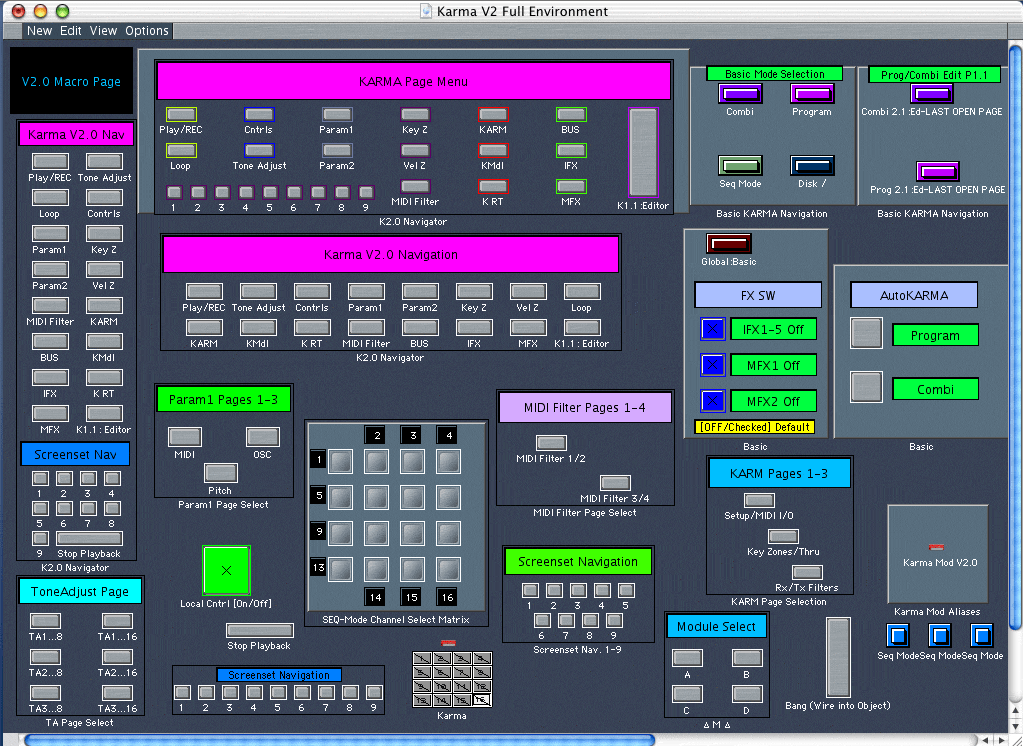
NEW!! Screenshots of Karma v2.0 Environment: Karma V2.0 Main Page [SEQ 1.1:Mixer]

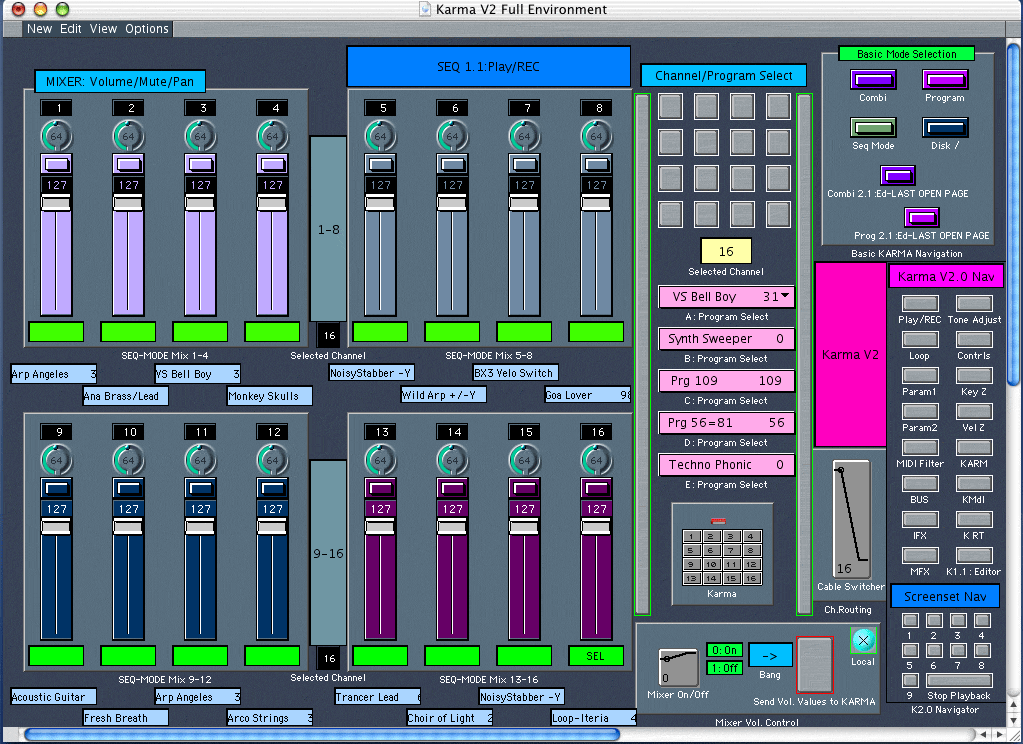
  • Features:2-Way Volume & Pan Control. Updates made in the Karma Synth will be instantly relected on the Karma V2.0 Environment Page so the two are always in Sync.
  • Environment Mixer can be turned off to allow editing of the Synth or Environment data without affecting the other. Then use the Karma V2.0 Environment BANG button to instantly update the Synth with the Environment settings.
  • The Channel Select Matrix is used to select any of the 16 MIDI channels in SEQ-Mode. Then Programs can be selected from any Bank and posted to that channel automatically. Channel displays are updated on Karma & other SEQ-Mode edit pages as well.
  • More Navigation buttons to other Basic KARMA pages & Modes have been added for convenience + buttons to Logic ScreenSets 1-9 & a "Stop Playback" Macro Event.
.Karma V2.0 Main Editor/Matrix Page (Clickable MAP)

****************************

NEW!! Screenshots of Karma v2.0 Environment: Karma V2.0 Navigator

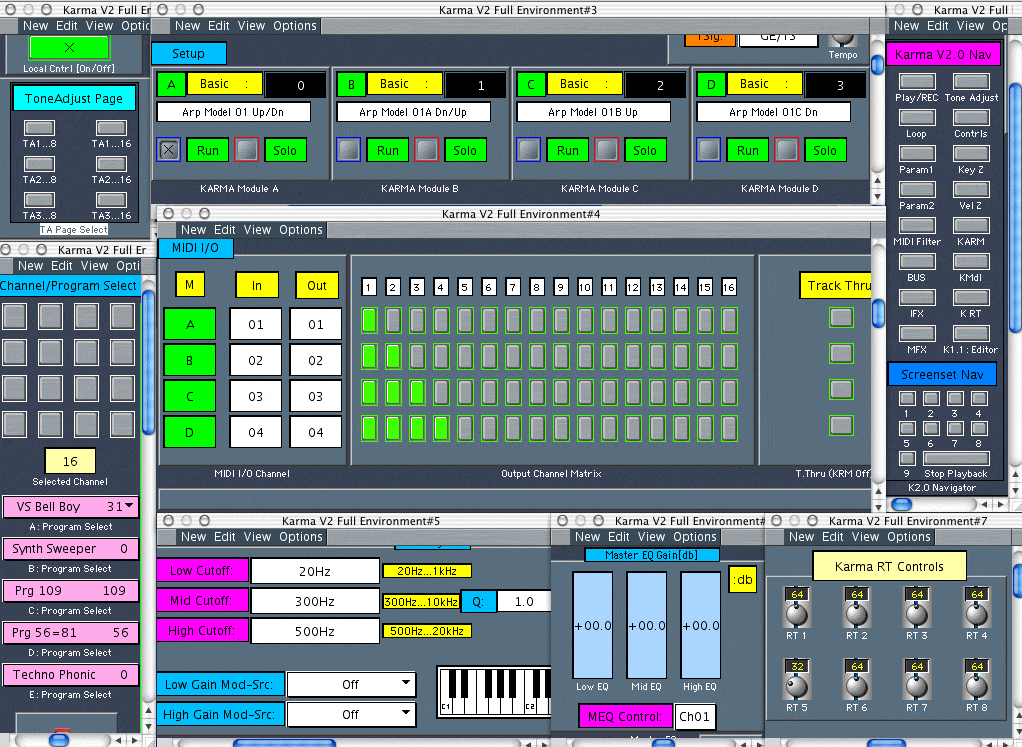
Main Navigator Bar will appear above all pages for quick & easy navigation to each Editor Page. The last button, "K1.0 Editor", will jump to the Karma/Logic V1.0 Environment for editing of all Karma Real-Time controls. (Note- for owners of the original Karma/Logic Environment (V1.0) when you order the V2.0 Environment you will receive an updated version (V1.1) of the original Environment containing the Navigator Bar so you can navigate back out to all V2.0 Editor Pages.)

***********************

Each Editor will contain an ON/OFF Switch so you can edit without transmitting to the Karma. Turn the Switch back ON to send your edits to the Karma as a Bang! event.

*********************************

Top of Page


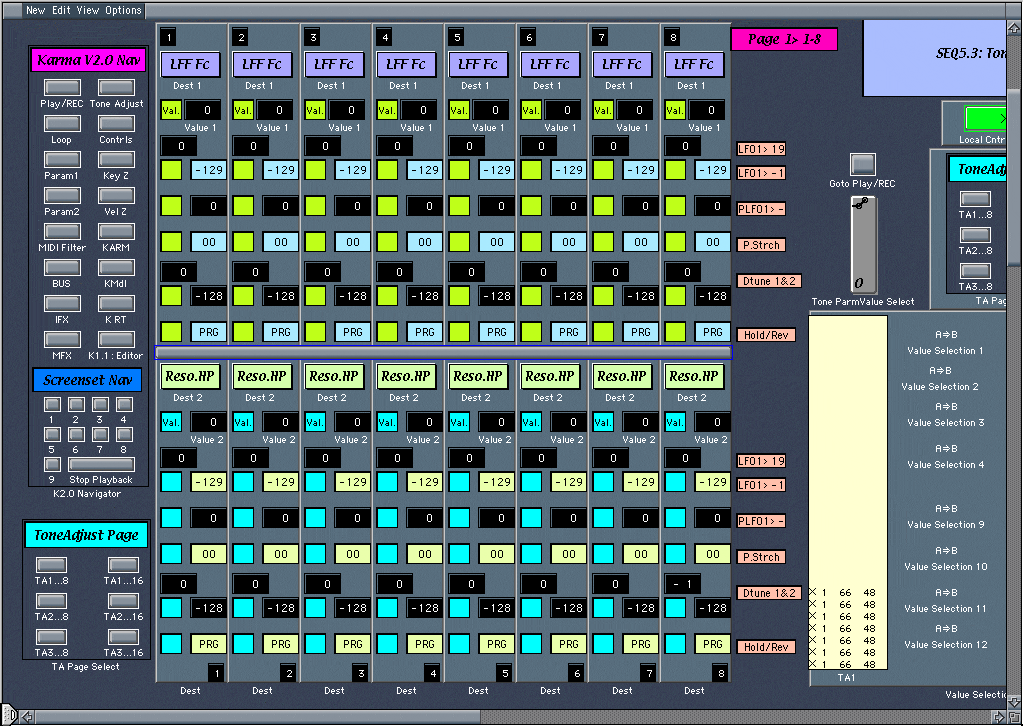
NEW!! Screenshots of Karma v2.0 Environment: Tone Adjust

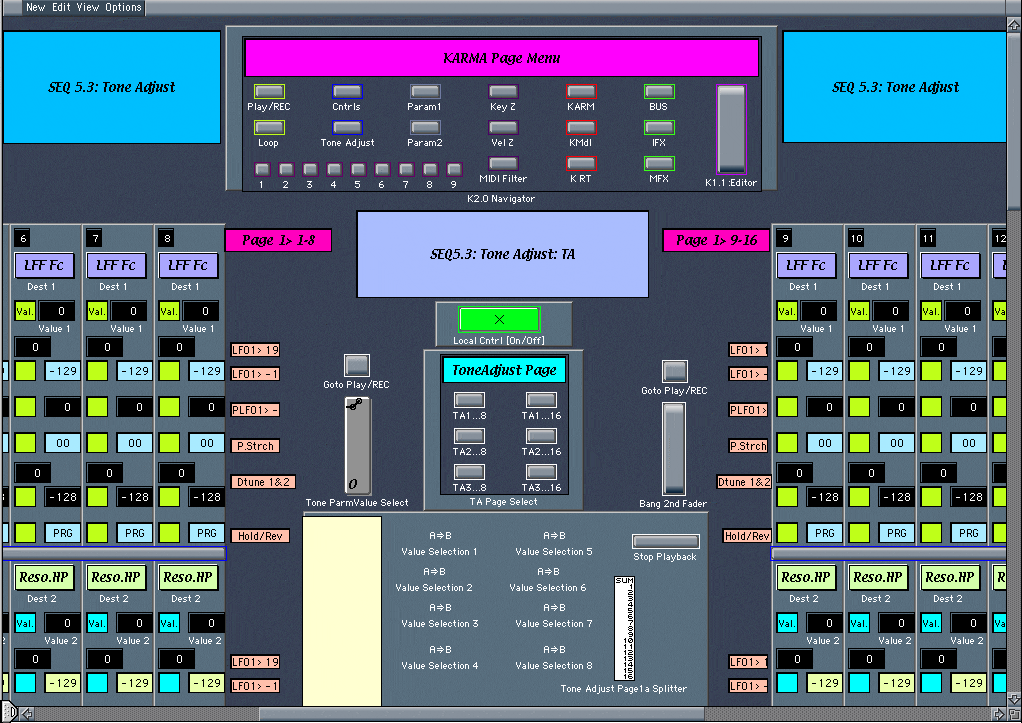
SEQ 5.3:Tone Adjust (Song Mode) for Channels 1-16, Pages 1-3:

Destinations> LPF Fc - Reverse, Value Adjust Ranges [-99...+00...+99], Drop-Down Text Menus & 2-way Feedback.

********************************************************

Screenshot Thumbnails
SEQ 1.1:Play/REC
Free:Karma V1.1 w/Purchase!!
SEQ 3.1:MIDI
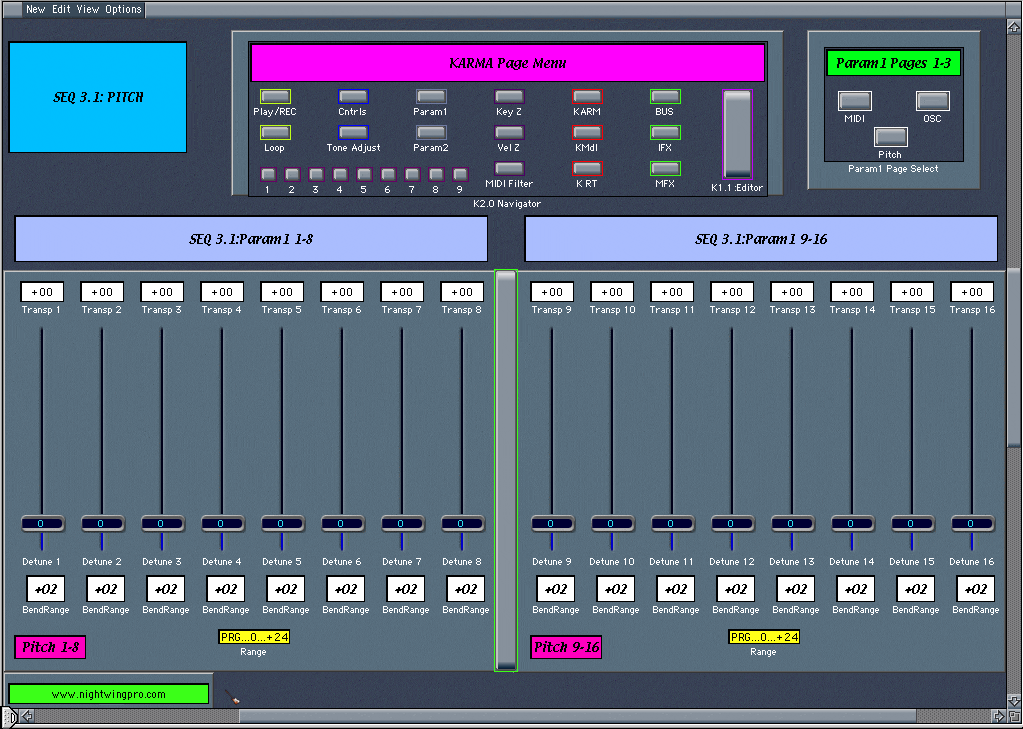
SEQ 3.1:Pitch
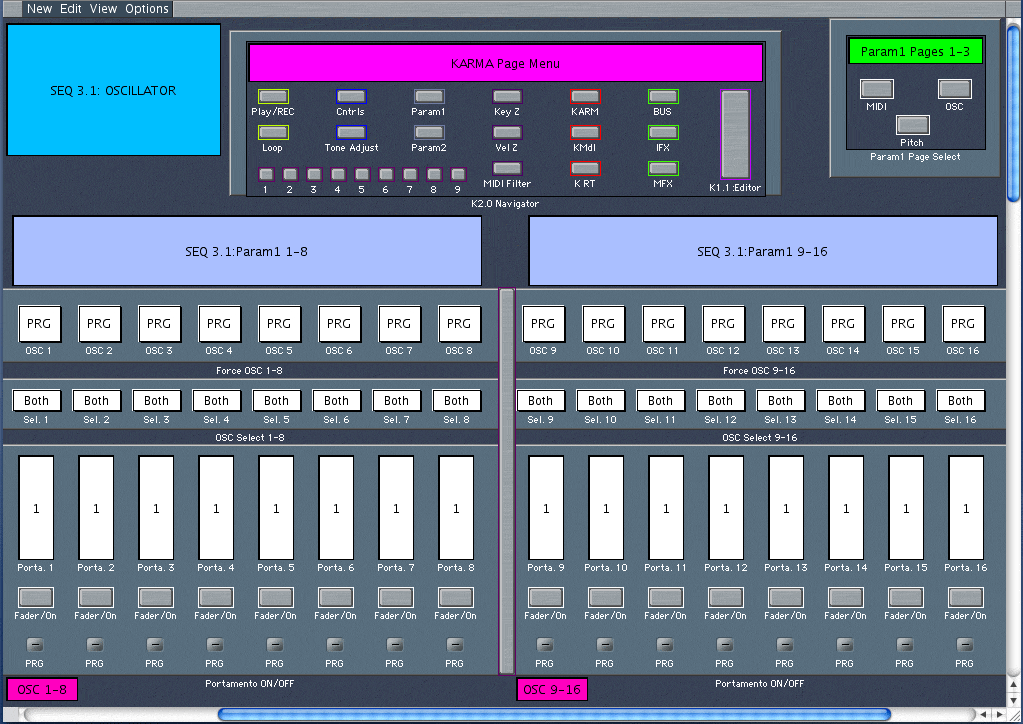
SEQ 3.1:Oscillator
The SEQ 1.1:PlayREC Page is actually the New Karma V2.0 Main Page. From here, you select Programs for each of the 16 Channels, 2-way control of Vol. & Pan (Karma Synth controls are reflected in the Environment too) & Navigate the Other Basic Modes of your Karma Synth.
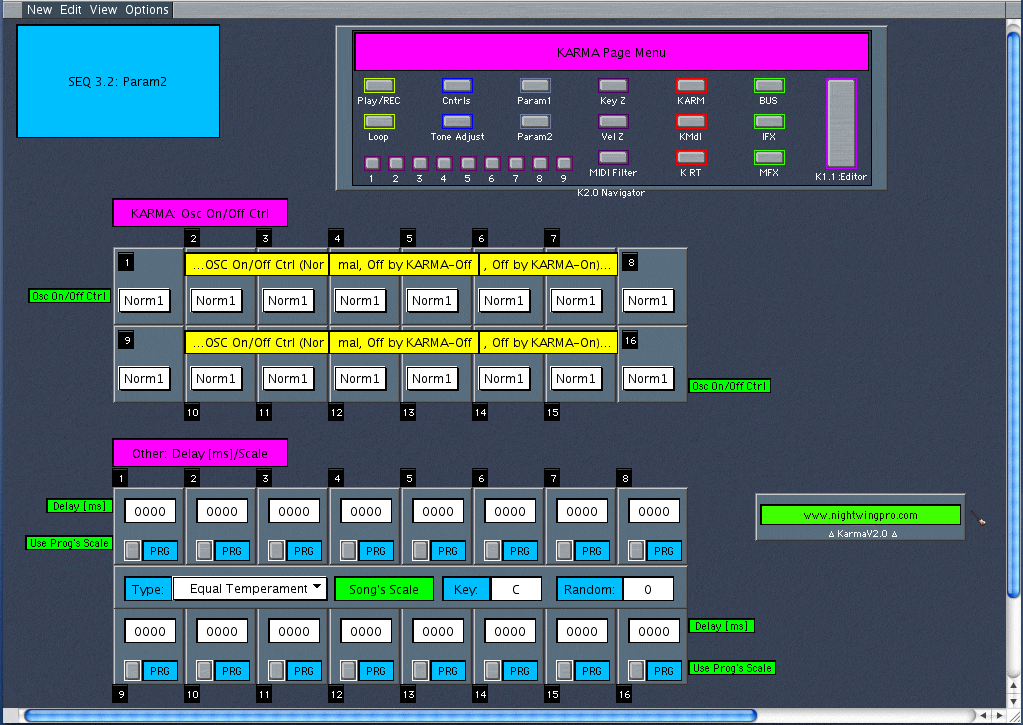
SEQ 3.2:Param2
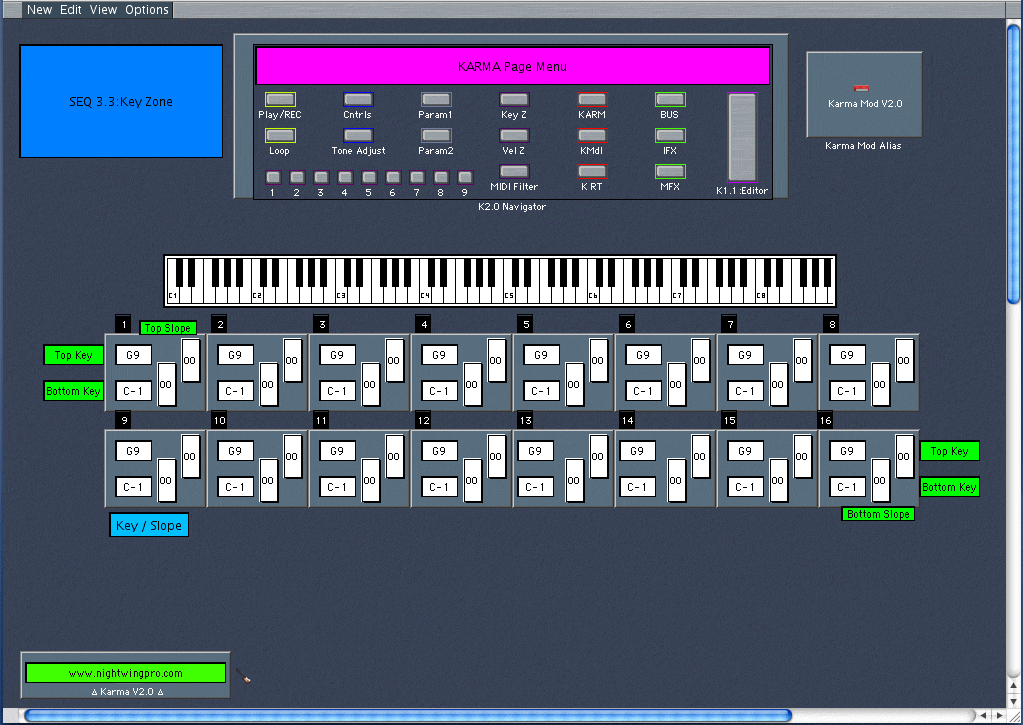
SEQ 3.3:KeyZ
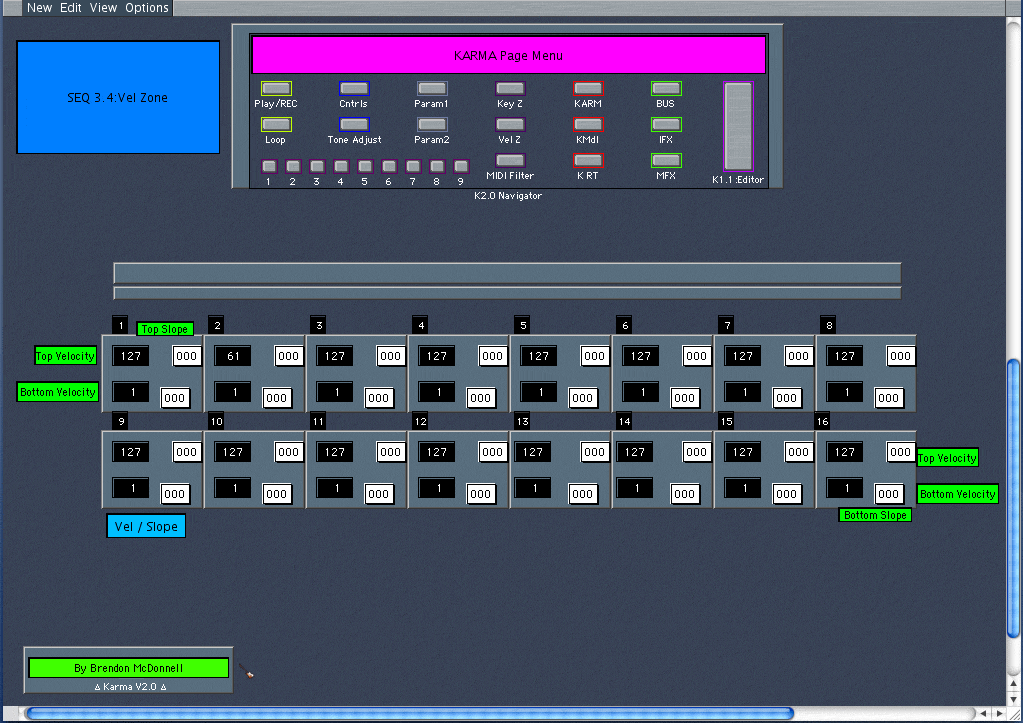
SEQ 3.4:VelZ
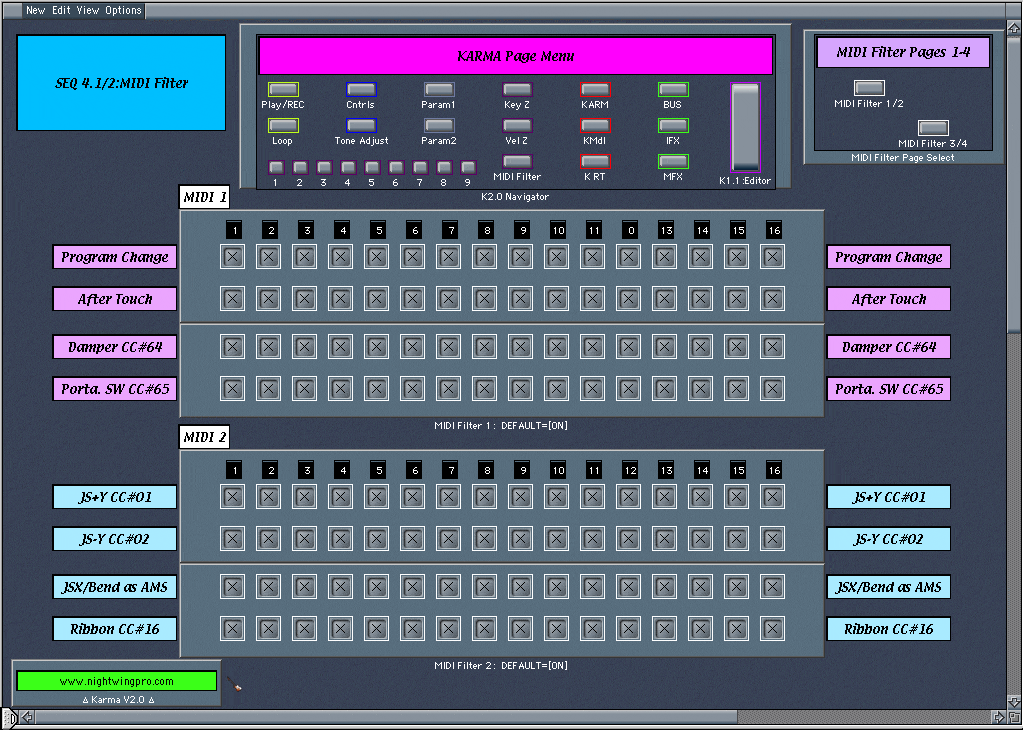
SEQ 4.1/2:MIDI 1-2
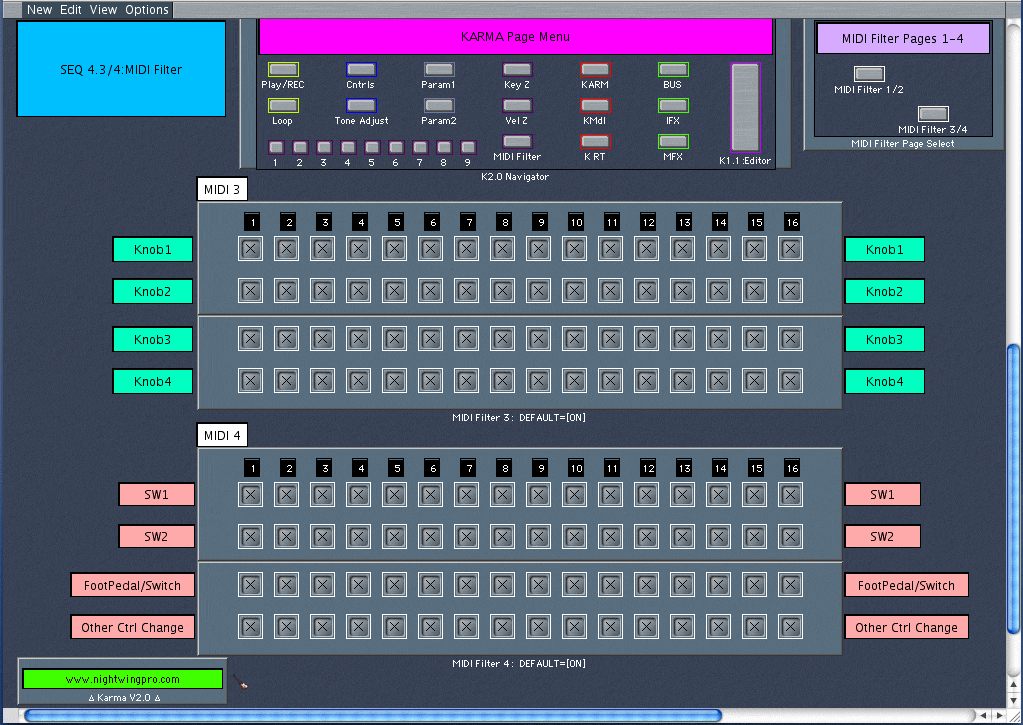
SEQ 4.3/4:MIDI 3-4
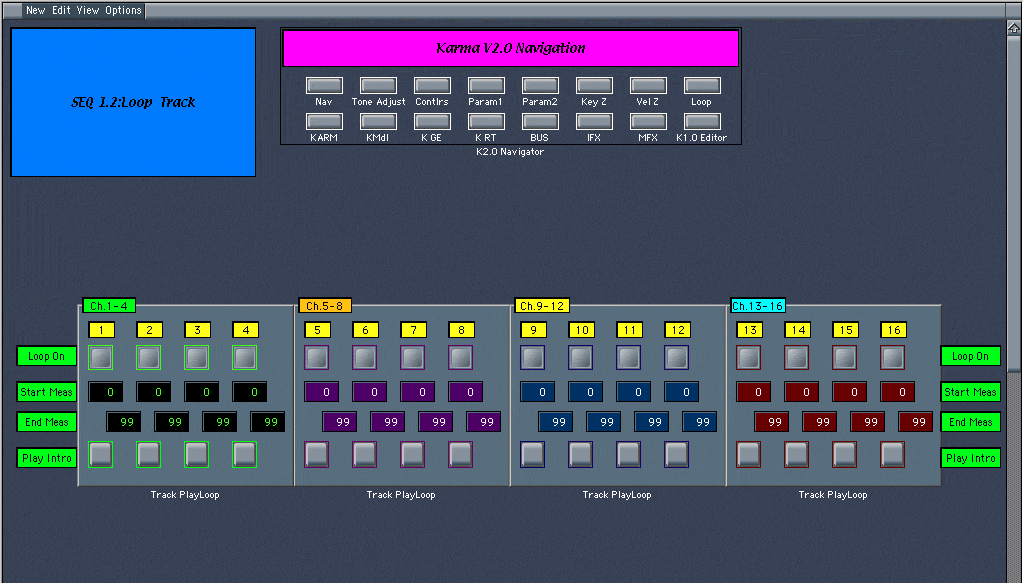
SEQ 1.2:Loop
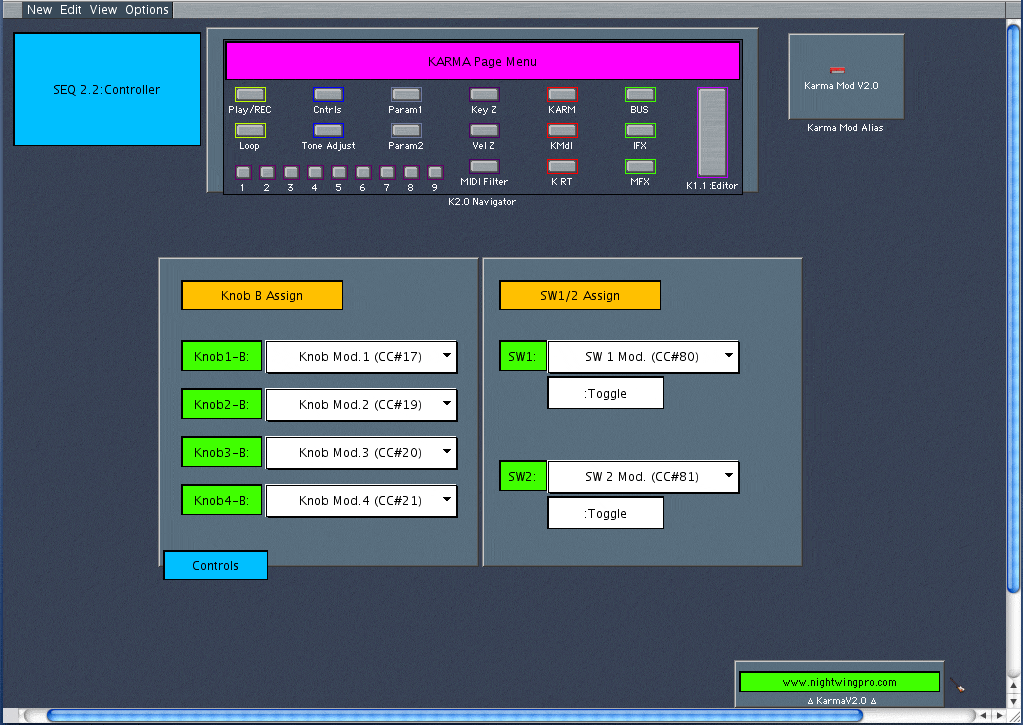
SEQ 2.1:Ctrl
Karma V2.0 Navigator
SEQ 5.3:Tone Adjust
SEQ 5.3:Tone Adjust 1

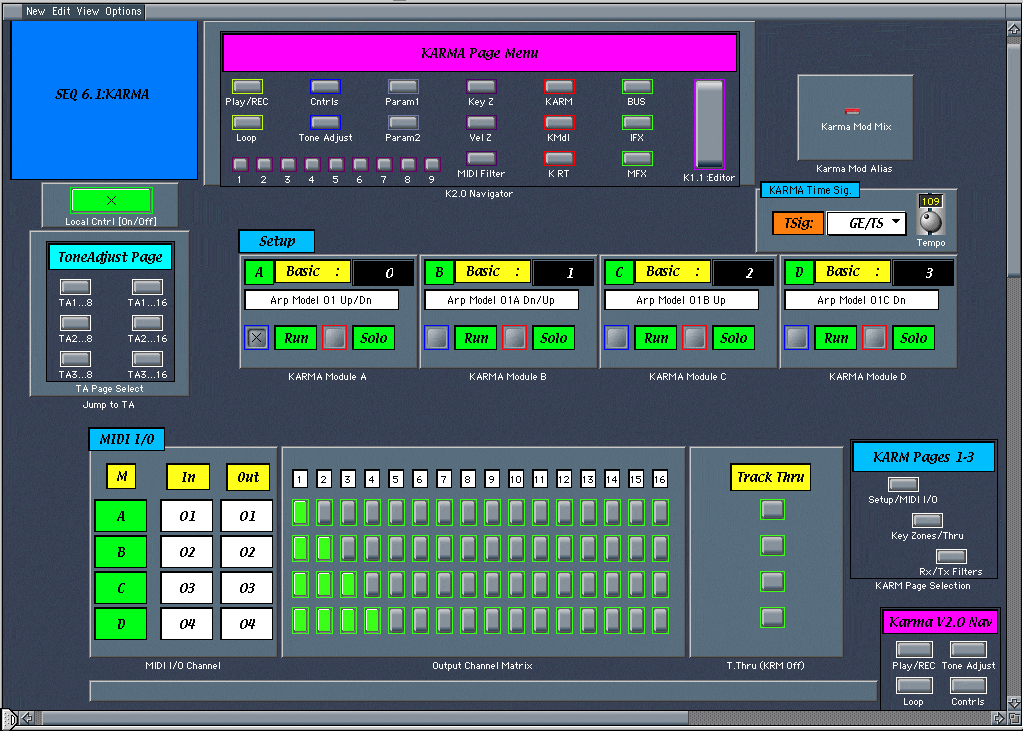
SEQ 6.1:KARMA
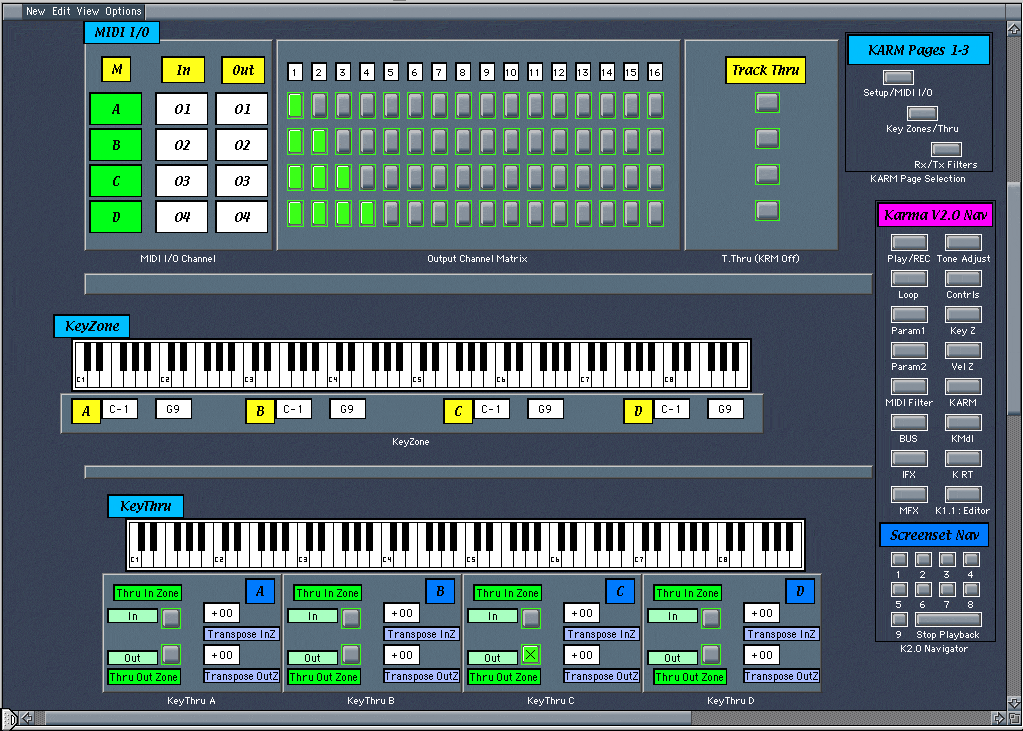
SEQ 6.1:KarmaZ
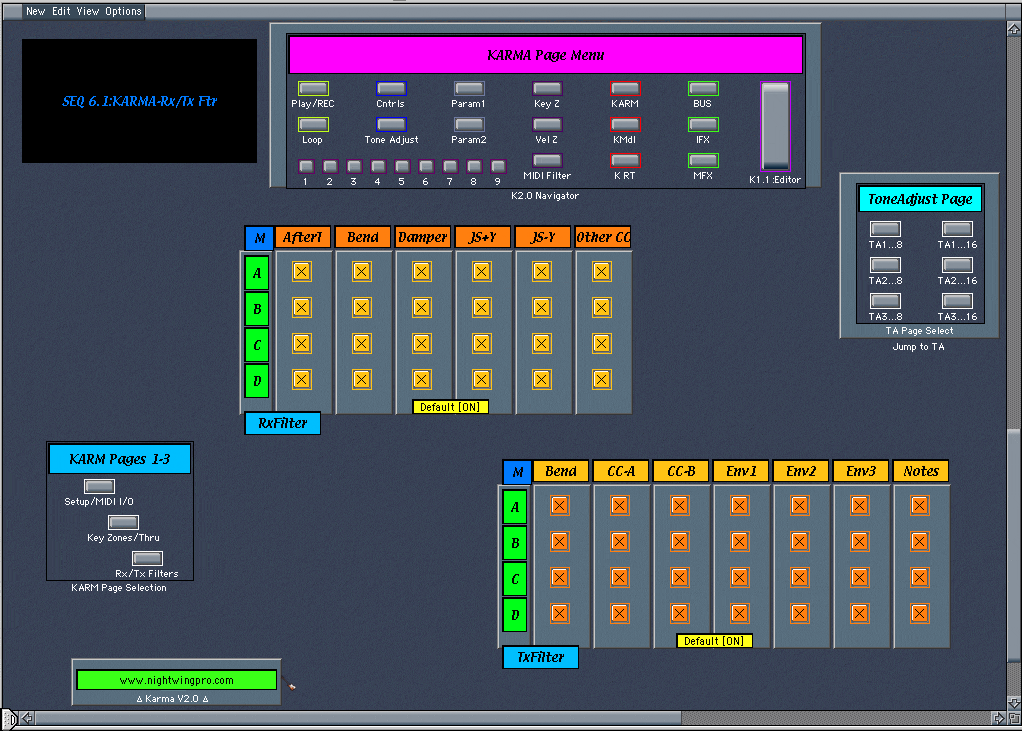
SEQ 6.1:KarmaFltr

Combi-Mode Prog/Mix Pages coming soon in a free, future update!!

Karma V2.0 Env Price: $50.00

Karma V1.1 Environment: Free (a $35 value)

...Over 32 pages!!

Complete Creative Control when Sequencing with Logic...

SEQ 5.3:TA (Small)...UPDATE
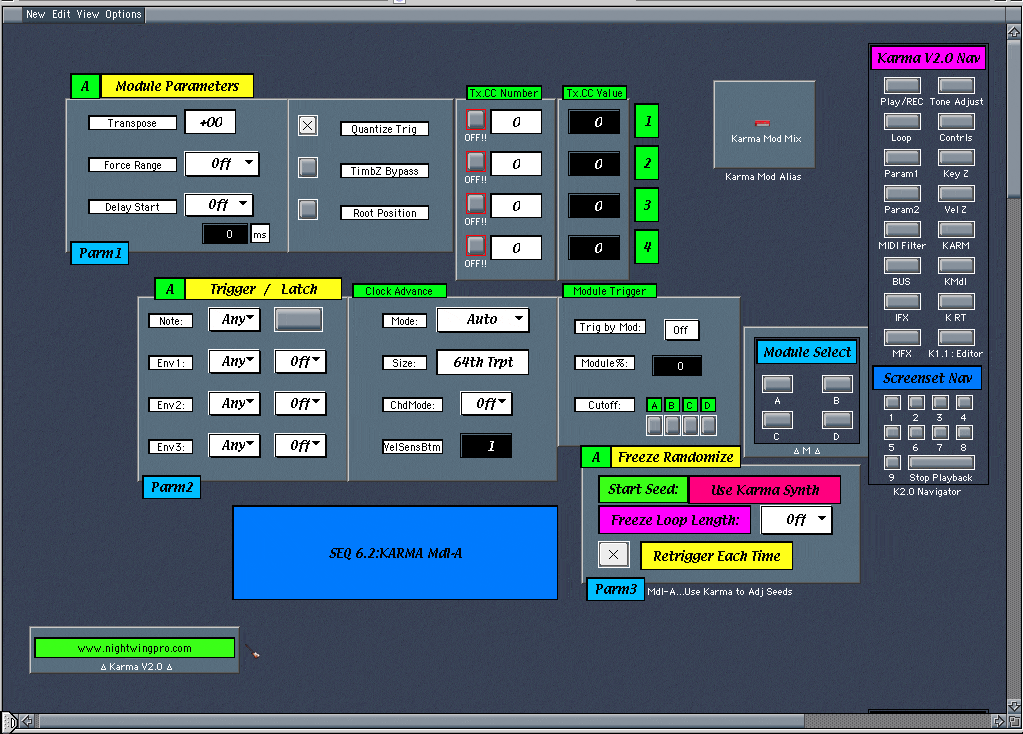
SEQ 6.2:KMdl [Modules A-D]
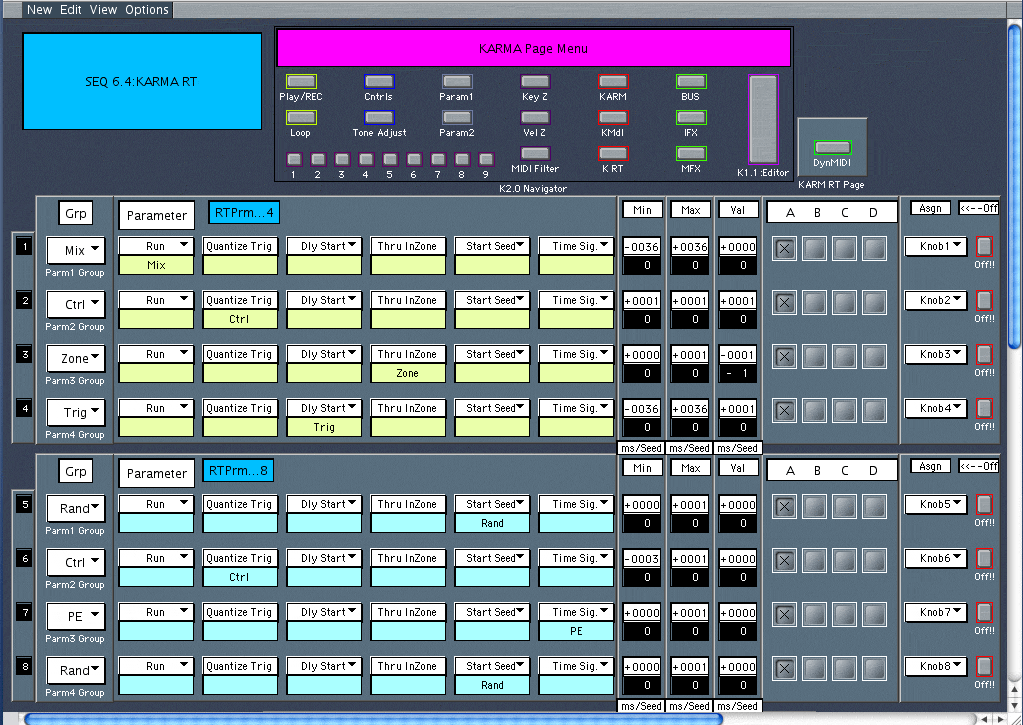
SEQ 6.3:K RT Parameter
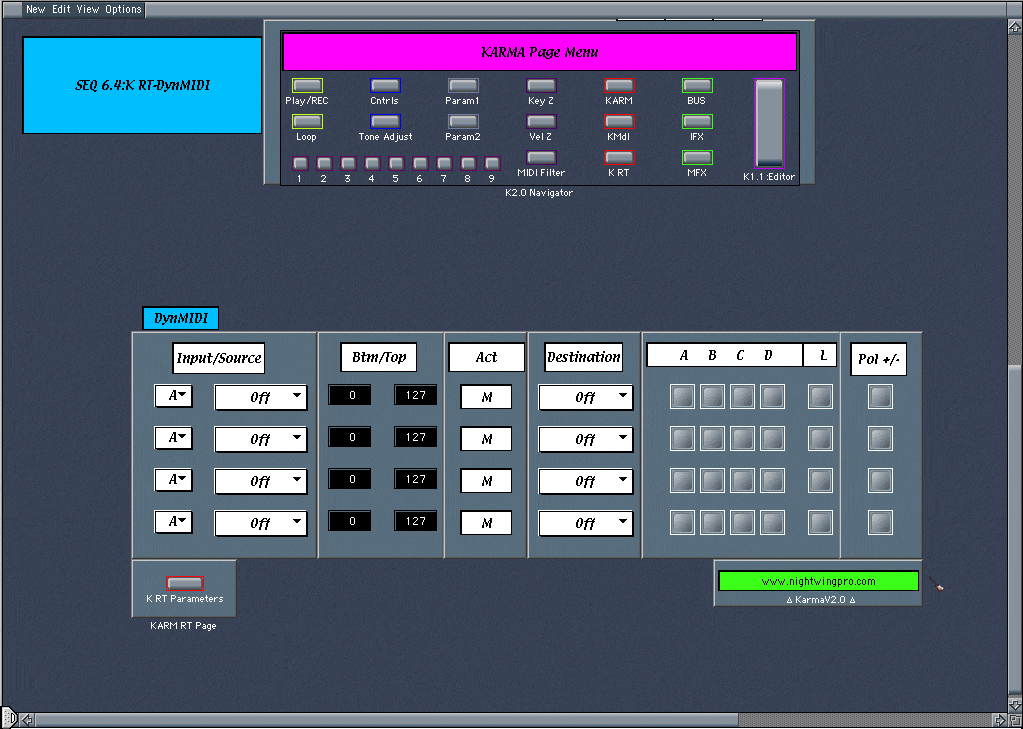
SEQ 6.3:K RT DynMIDI
View the updated Triton V2.2
K2.0 Surfer/Mode Select
When you order the Karma V2.0 Environment, you get (3) different Software Environments: The Karma V2 Full Version with all pages shown here, and a Basic Version with only the SEQ 1.1:PlayREC page. Also the Karma V1.1 Page is included with purchase (a $35 value.)
Customize your Karma V2.0 Environment...
...The "Surfer" Page contains Macro Items that can be freely moved to other pages for Mode-Selection of your Choice.
Purchasers of the Karma V2.0 Environment will get an integrated software package with the inclusion of the updated Karma V1.1 Page. Controls are interconnected; several new Navigation Bars have been added including Screenset 1-9 buttons & many more new features...
K2.0 ScreenSet Example
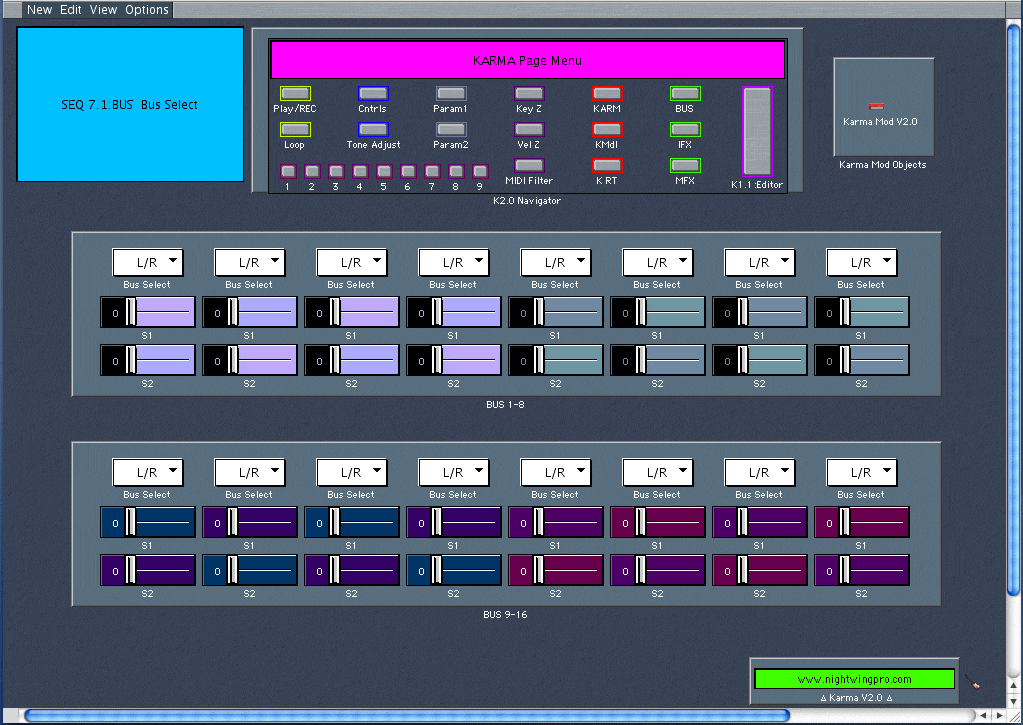
SEQ 7.1:Bus
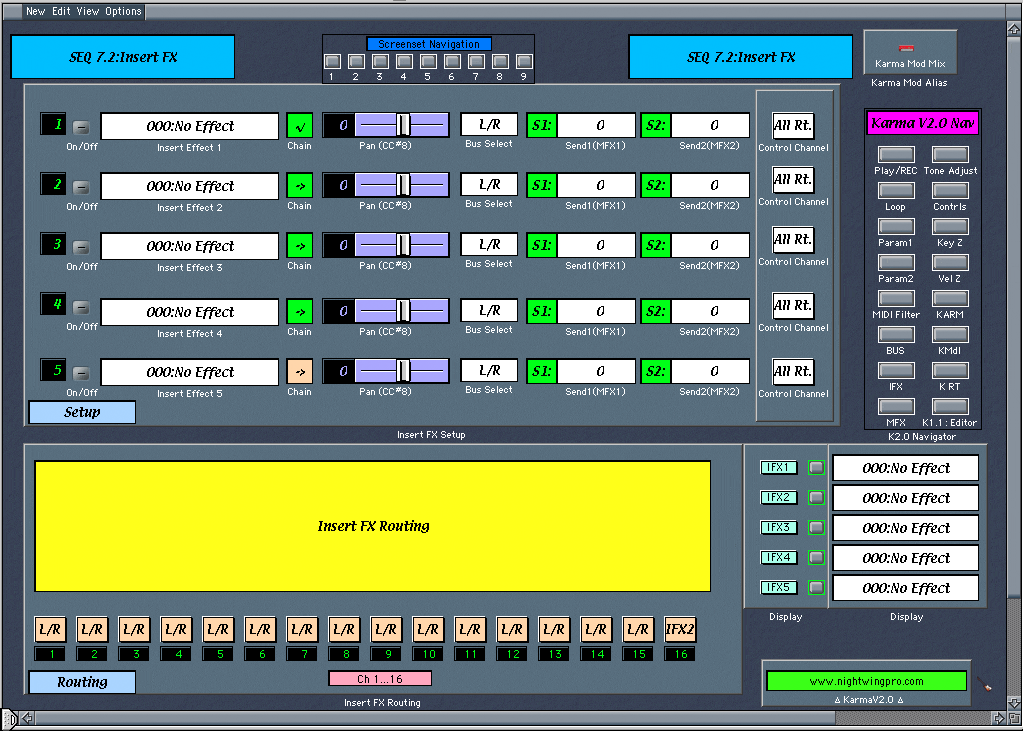
SEQ 7.2:Insert FX
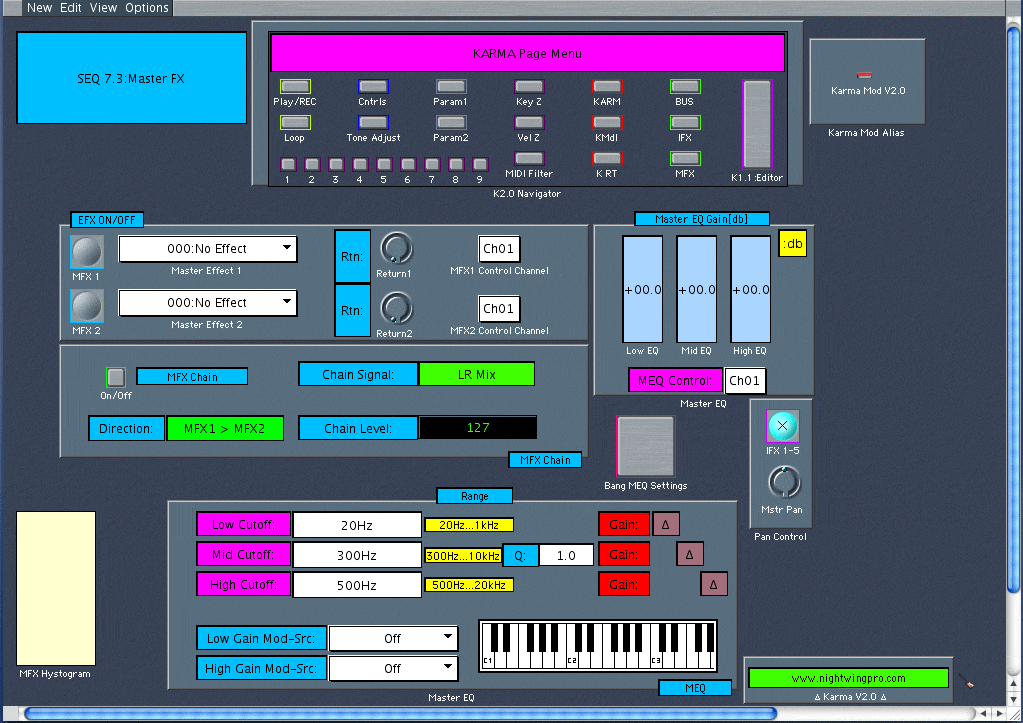
SEQ 7.3:Master FX
Karma V1.1 Environment

***Download the Manual: Karma V2.0 Env manual (Mac.rtf)/ KarmaV2.doc (PC) ***

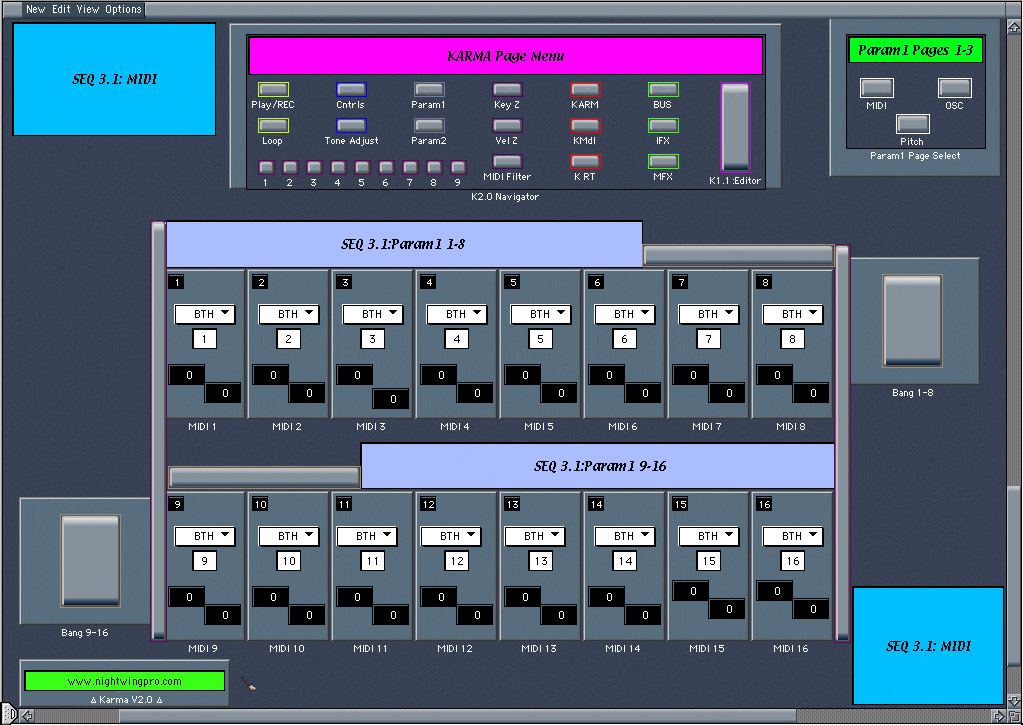
NEW!! Screenshots of Karma v2.0 Environment: Param 1

SEQ 3.1:Param edit for Channels 1-16: Oscilator Modes, Portamento, Detune, Transposition & Bend Range.

********************************************************

The above are working, full-featured edit pages. The release version of the Karma v2.0 Environment is HUGE!! 30+pages, many holding 2-6 sub-pages...about 30x the size of the Karma v1.1 Environment!

Pages are subject to change as small alterations & improvements are integrated into future updates & releases.

Latest Screenshots:
  • Promotion: Get both V1.1 & V2.0 Editors for only $50US!! Order Here

Order the 30+page, Karma v2.0 Environment now & receive the Original Karma V1.1 Environment FREE!!

Please direct all inquiries to: Karma V2.0 Info

Designed by Brendon McDonnell 2008

Back to Top of Page


Other Synth Environments


NEW:
JD990 Environment:
TR-Rack Environment:
Coming Soon:
  • Roland JV-2080
  • Kurzweil K2500 (RS)
  • Yamaha SY/TG77
  • Lexicon PCM81
  • Lexicon MPX-1
  • Lexicon LXP-15II
  • tc M3000, tc 2290
  • Marshall JMP-1
  • Mesa Boogie Triaxis
  • Need One?? ASK

Click Thumbnails for a Larger View

Email for Info


Back to Top of Page


I accept payment through PayPal!, the #1 online payment service!


Thanks for your Order!!


Upon confirmation of payment, within 1-2 hours, you will receive your software according to the specified delivery method:

Email or Shipped.


Back to Top of Karma Page


Return to Karma V2.0 Editor/Environment Screenshots

****************

Return to NightWing Pro HomePage

*****************

(Close/Exit Page)